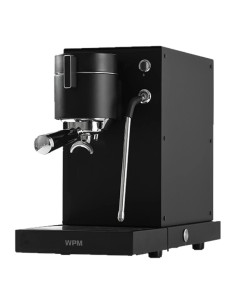

The WPM Primus espresso machine is considered one of the most advanced home espresso machines for specialty coffee enthusiasts, combining full manual control with advanced pressure techniques via a quiet, professional gear pump.
In this guide from Qavashop Academy, we will explain how to update the system to version 46EU, what’s new in the update, the calibration method, and real user experiences.
What is the WPM Primus 46EU Update?
The WPM Primus (46EU Version) update is a software update that adds a Water Flow Limit control feature between 6 and 10.5 ml/s, allowing finer extraction control and improving machine performance. The update requires a device reset and paddle calibration before use.
This update comes as part of a series of improvements aimed at enhancing extraction control and elevating the Primus machine's overall performance.
A Quick Overview of the WPM Primus
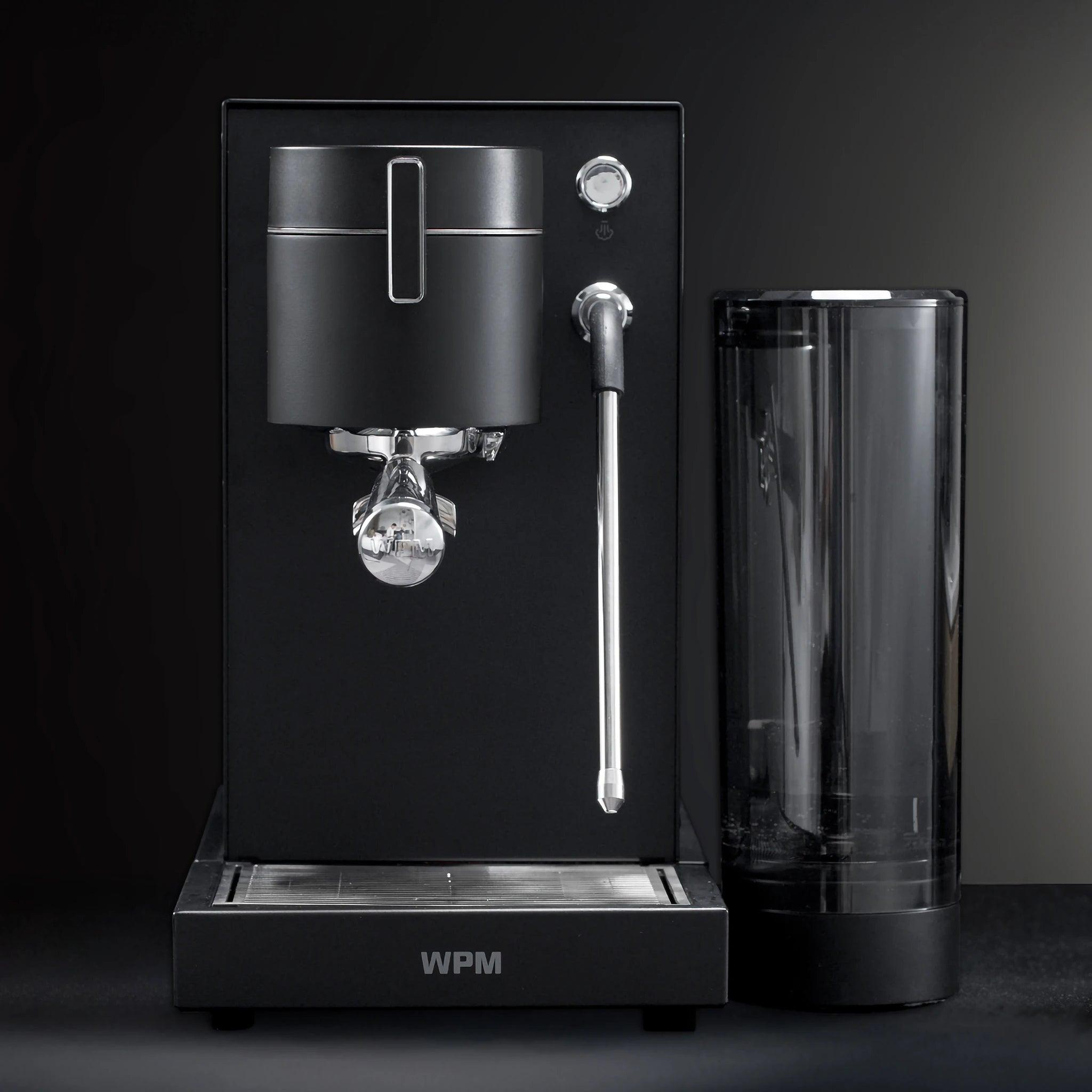
The WPM Primus espresso machine offers a professional experience including:
Full Pressure Profiling control
Manual paddle for direct flow and pressure control
Ability to save multiple profile settings
Performance close to commercial machines
Why Should You Update the WPM Primus System?
Updating the system is not a secondary option; it is an essential step to improve performance, including:
Improving extraction stability
Addressing water flow issues
Adding new features
Increasing control efficiency
What's New in the Update (WPM Primus 46EU Version)?
Water Flow Limit Feature
Feature | Before Update | After Update |
|---|---|---|
Water Flow | Fixed | Controllable |
Performance | Good | Better |
Control | Limited | More Precise |
The most important addition in the update is controlling water flow and increasing it up to 10.5 ml/s:
When selecting On, water flow will be 6 ml/s (default flow).
When selecting Off, water flow will be 10.5 ml/s.
Option (On) - 6 ml/s Flow: "Ideal for classic, gentle extraction, providing superior control and preventing over-extraction, making it suitable for dark or medium roasts where sweetness and balanced bitterness are highlighted."
Option (Off) - 10.5 ml/s Flow: "Gives you high flow rates and rapid saturation of the coffee puck. This option is the 'gem' of the update for light roast lovers or those using high-extraction baskets, helping boost extraction yields and reduce channeling."
⚠️ Important Warning Before Updating
Performing this process will reset the machine to its default factory settings. All saved user profiles and brewing history will be permanently deleted.
Steps to Update WPM Primus Machine:
Download update file: Download the update file to your phone.
Power on the machine: Turn on the machine and wait for the start screen.
Enter update mode: Press with two fingers on the top half of the screen when the portafilter image appears.
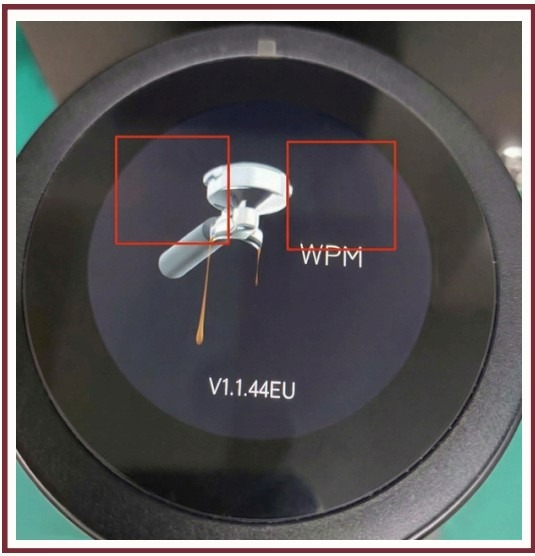
If prompted for a passcode, enter: 0360
Enable Wi-Fi: Tap the blue button to enable the network.
Connect to Network: Use your phone to connect to the machine via Wi-Fi network: KD-360X_OTA
Upload Update File: Once connected, a QR code will appear. Scan the QR Code, tap "Choose Files", select the file downloaded in Step 1, and the update file will be uploaded to the machine.
Confirm Successful Update: Check the version name on the screen.
What Happens After the Update?
Immediately after the update:
The machine's display language switches to Chinese.
You must calibrate the paddle first before changing the language back.
Paddle Calibration Guide
Scenario 1 (Normal):
After installing the update, a screen with 4 options in Chinese will appear. Follow these steps:
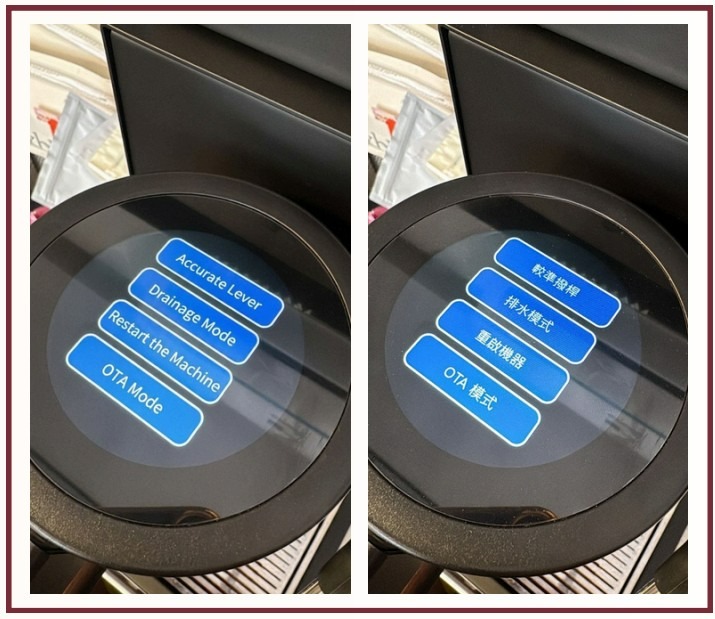
Tap the "Paddle Calibration" button, which is the first option.
Move the paddle to the zero position - 6 o'clock position.
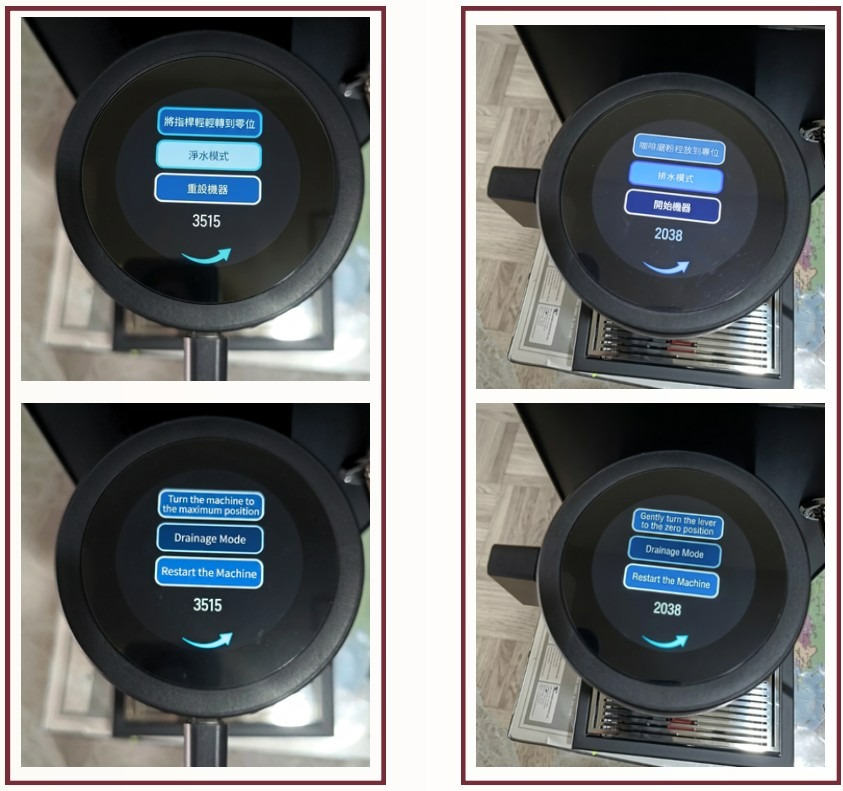
Once done, tap the first option to confirm.
Gently move the paddle to the maximum position (9 o'clock position).
Once done, tap the first option.
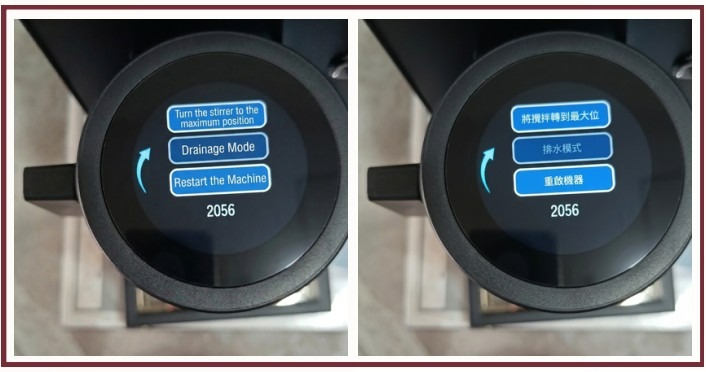
After completing the steps above, calibration is finished. Select the last option to restart the machine.
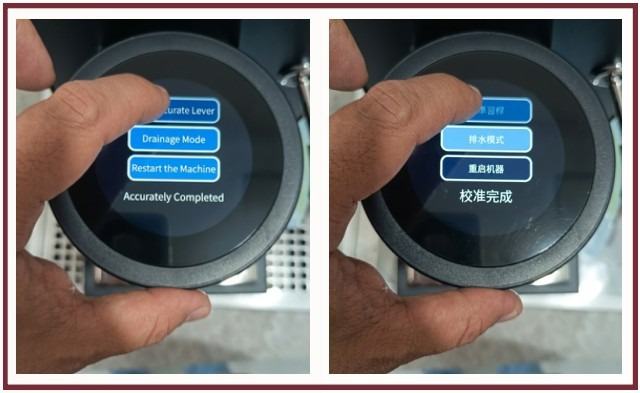
Scenario 2 (Sensor Issue):
The device is unable to detect paddle position (e.g., "Return paddle to home position" message appears and won't go away even after moving it). Follow these steps:
Turn on the machine.
Press with two fingers on the top half of the startup screen displaying the portafilter.
If prompted for a passcode, enter: 7025
Gently move the paddle to the maximum position (9 o'clock position), then follow the instructions to return it to the zero position (6 o'clock position).
Tap the arrow to continue.
Follow on-screen instructions and move the paddle to the maximum position (9 o'clock position).
Tap the arrow again to continue.
The machine will restart automatically.
Return the paddle to the zero position (6 o'clock position).
Once finished, you can change the machine's language from the home screen by going to Settings, tapping the Language Change icon, and selecting English.
Changing Language After Calibration:
Enter Settings.
Select the Language icon.
Select English.
Full WPM Primus Espresso Machine Review
Watch a hands-on walk-through and practical review of the machine:
You can also watch more coffee guides on the Qavashop Channel on YouTube.
User Reviews & Feedback
We surveyed WPM Primus users in Saudi Arabia who recently purchased the machine from Qavashop, and here are the key takeaways:
Key Strengths:
Strong price-to-performance ratio
Professional extraction control
Results comparable to significantly more expensive machines
Support for custom profiles and saving
“It gave me results close to a La Marzocco GS3, but at a fraction of the price.”
Considerations:
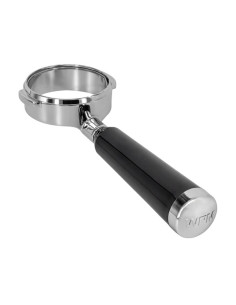
Requires a bottomless portafilter
Has an initial learning curve to master usage
Slight lack of available Arabic educational content
Our Analysis: Is the Update Really Important?
Through testing:
The Water Flow feature significantly improved extraction control
Extraction became noticeably more consistent
Previous flow rate issues were minimized
This update is crucial, especially for those who value precise extraction control.
Is the Primus Machine Right for You?
Suitable if:
You love complete extraction control
You enjoy manual profile pressure brewing
You have intermediate to advanced barista experience
Not suitable if:
You are looking for an extremely simple push-button machine
You are a beginner with no interest in extraction parameters
You can check out more espresso machine reviews on Qavashop Academy.
Conclusion
The WPM Primus machine is an advanced choice for specialty coffee lovers, and with the 46EU update, it becomes even more powerful and flexible in extraction profiling, particularly with the addition of the Water Flow Limit.
If you are looking for a professional-grade experience at home, this machine offers an excellent balance between price and performance.
Frequently Asked Questions (FAQ)
What is the WPM Primus 46EU update?
It is a software update that adds water flow control between 6 and 10.5 ml/s to improve extraction quality.
Does the update affect my saved settings?
Yes, user profiles and brewing history are erased after the update.
Do I need to calibrate the paddle after updating?
Yes, paddle calibration is required before changing the language or using the machine.